开启 Root 用户 SSH
ℹ️ 说明
用下面的命令 编辑 ssh 服务的配置文件
bash
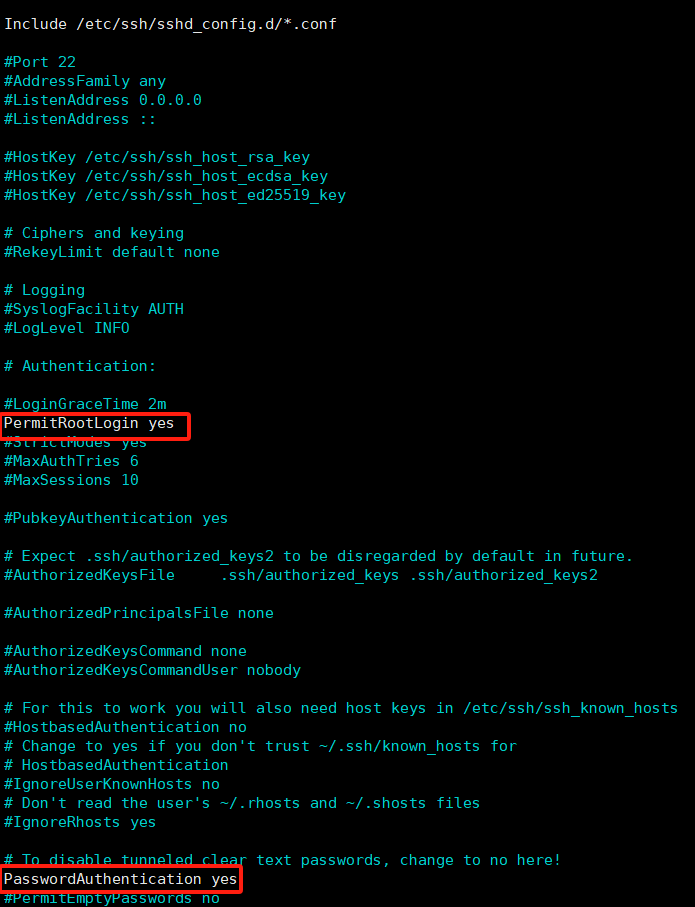
nano /etc/ssh/sshd_config找到 PermitRootLogin ,改成 PermitRootLogin yes
找到 PasswordAuthentication ,改成 PasswordAuthentication yes
示例:
ℹ️ 提示
重启 SSH 服务
bash
systemctl restart sshℹ️ 提示
查看 SSH 服务状态,如果显示下图所示,则说明 成功启动
bash
systemctl status ssh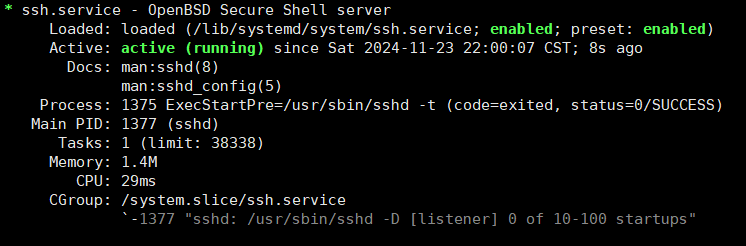
🐸
然后就能愉快的用 root 进行 SSH 连接了